

SAMENVATTING
Node.js API Security Checklist: OWASP Best Practices voor 2026
Complete gids voor het beveiligen van Node.js APIs tegen moderne cyberdreigingen met praktische OWASP-richtlijnen
Keywords: OWASP Top 10, API Security, Node.js Beveiliging
ACHTERGROND
Waarom API Security Cruciaal is in 2026
De digitale transformatie heeft APIs tot de ruggengraat van moderne applicaties gemaakt. In 2026 verwerken Node.js APIs wereldwijd meer dan 83% van alle web traffic, waardoor ze een primair doelwit zijn geworden voor cybercriminelen. Volgens het OWASP API Security Top 10 rapport van 2023 (geüpdatet voor 2026) zijn API-gerelateerde aanvallen met 348% gestegen sinds 2021.
KERNPUNT
94% van alle organisaties heeft in 2025 minstens één ernstige API-beveiligingsincident ervaren, met gemiddelde kosten van €4.2 miljoen per incident.
Node.js, met zijn event-driven architectuur en NPM-ecosysteem, biedt enorme flexibiliteit maar introduceert ook unieke beveiligingsrisico’s. Van kwetsbare dependencies tot impropere error handling – deze checklist behandelt alle kritieke aspecten die elke Node.js ontwikkelaar moet kennen.
De meest voorkomende aanvalsvectoren in 2026 zijn:
Kritieke Dreigingen 2026
• Broken Object Level Authorization – 42% van API-aanvallen
• Broken Authentication – 31% van beveiligingslekken
• Excessive Data Exposure – 28% van data-lekken
• Injection Attacks – 19% van succesvolle exploits

Deze statistieken onderstrepen de urgentie van een systematische beveiligingsaanpak. Een proactieve security-by-design mentaliteit is niet langer optioneel – het is essentieel voor bedrijfscontinuïteit en klantvertrouwen.
OWASP ANALYSE
OWASP Top 10 API Security Risks in Node.js Context
Het OWASP API Security Top 10 framework biedt een uitstekende basis voor Node.js API-beveiliging. Elke risk category heeft specifieke implicaties voor het Node.js ecosysteem die we in detail behandelen.
API1:2023 Broken Object Level Authorization (BOLA)
WAARSCHUWING
BOLA vertegenwoordigt 42% van alle API-aanvallen in 2026. Gebruikers kunnen objecten van andere gebruikers benaderen door simpelweg ID’s te manipuleren.
CODE-UITLEG
Dit voorbeeld toont hoe je BOLA kunt voorkomen met proper authorization checks in Express.js routes.
// ❌ KWETSBAAR - Geen ownership check
app.get('/api/users/:userId/profile', async (req, res) => {
  const profile = await User.findById(req.params.userId);
  res.json(profile);
});

// ✅ VEILIG - Met authorization check
app.get('/api/users/:userId/profile', authenticateToken, async (req, res) => {
  const { userId } = req.params;
  const requestingUserId = req.user.id;

  // Check ownership of resource
  if (userId !== requestingUserId && !req.user.isAdmin) {
    return res.status(403).json({
      error: 'Access denied: insufficient permissions'
    });
  }

  const profile = await User.findById(userId);
  if (!profile) {
    return res.status(404).json({ error: 'Profile not found' });
  }

  res.json(profile);
});
API2:2023 Broken Authentication
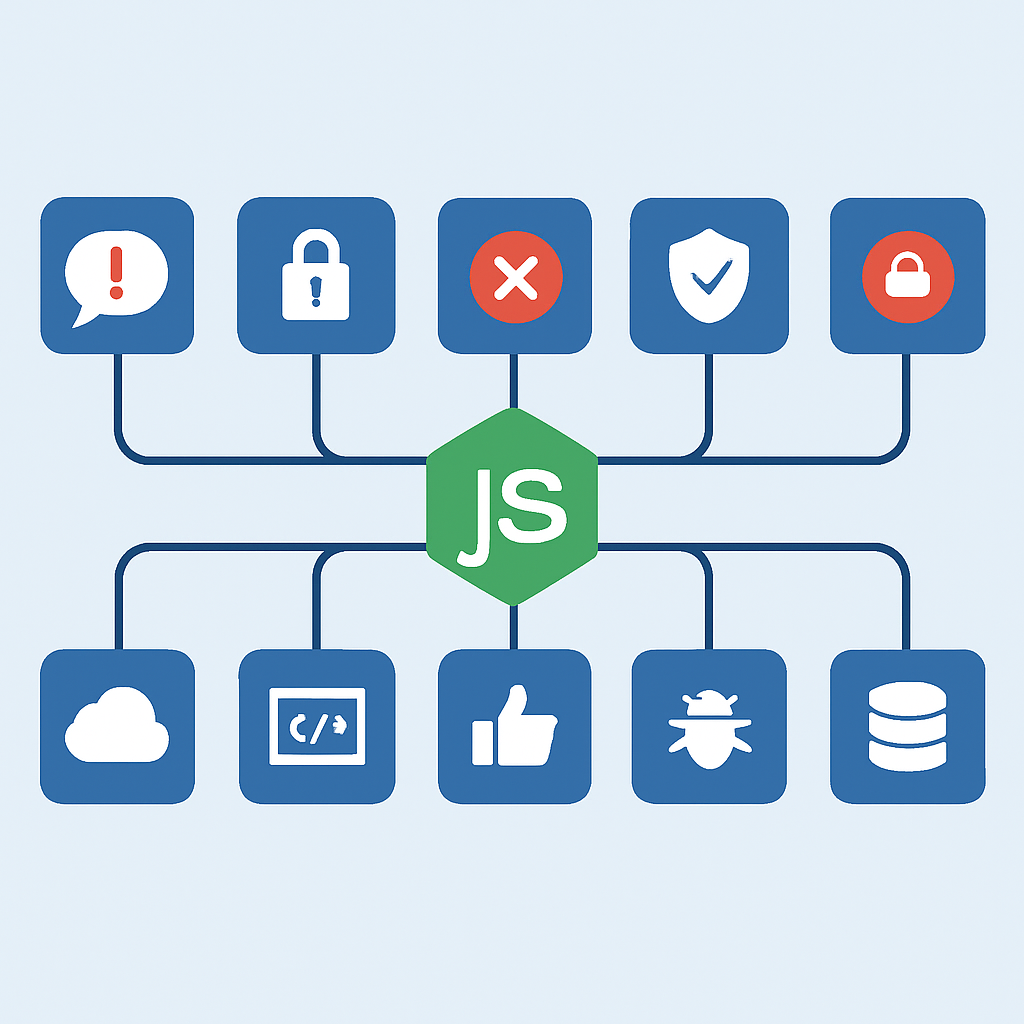
Gebrekkige authenticatie mechanismen maken 31% van alle API-beveiligingslekken uit. In Node.js omgevingen zien we vaak problemen met JWT-implementaties, session management en password policies.
KERNPUNT
Gebruik altijd environment variables voor secrets, implementeer token rotation, en valideer alle JWT claims inclusief issuer, audience en expiration.
API3:2023 Excessive Data Exposure
APIs die te veel data teruggeven zijn verantwoordelijk voor 28% van alle data-lekken. Node.js ontwikkelaars maken vaak de fout om complete database objecten te retourneren zonder filtering.
CODE-UITLEG
Implementatie van data filtering om alleen noodzakelijke velden te exposeren aan clients.
// ❌ KWETSBAAR - Te veel data exposure
app.get('/api/users', async (req, res) => {
  const users = await User.find();
  res.json(users); // Bevat mogelijk passwords, emails, etc.
});

// ✅ VEILIG - Selective field exposure
const mongoose = require('mongoose');

app.get('/api/users', async (req, res) => {
  try {
    const users = await User.find()
      .select('username firstName lastName avatar createdAt -_id')
      .limit(50);

    // Extra filtering based on user role
    const filteredUsers = users.map(user => ({
      username: user.username,
      displayName: `${user.firstName} ${user.lastName}`,
      avatar: user.avatar,
      memberSince: user.createdAt
    }));

    res.json({
      users: filteredUsers,
      total: await User.countDocuments(),
      page: 1
    });
  } catch (error) {
    res.status(500).json({ error: 'Internal server error' });
  }
});
IMPLEMENTATIE
Authentication & Authorization Strategieën
Een robuuste authentication en authorization strategie vormt de basis van API security. In Node.js ecosysteem hebben we verschillende opties, elk met hun eigen voor- en nadelen.
Multi-Factor Authentication (MFA)
MFA Implementatie met Node.js
Time-based OTP — Gebruik van speakeasy library voor TOTP generatie
SMS Verification — Twilio integratie voor SMS-based authentication
Email Magic Links — Stateless authentication via cryptographically signed links
CODE-UITLEG
Complete MFA implementatie met TOTP generation en verification.
const speakeasy = require('speakeasy');
const QRCode = require('qrcode');
const rateLimit = require('express-rate-limit');

// Rate limiting for MFA attempts
const mfaLimiter = rateLimit({
  windowMs: 15 * 60 * 1000, // 15 minutes
  max: 5, // 5 attempts per window
  message: { error: 'Too many MFA attempts, please try again later' }
});

class MFAService {
  static generateSecret(userEmail) {
    return speakeasy.generateSecret({
      name: `YourApp (${userEmail})`,
      issuer: 'YourApp',
      length: 32
    });
  }

  static async generateQRCode(secret) {
    try {
      return await QRCode.toDataURL(secret.otpauth_url);
    } catch (error) {
      throw new Error('Failed to generate QR code');
    }
  }

  static verifyToken(token, secret) {
    return speakeasy.totp.verify({
      secret: secret,
      encoding: 'base32',
      token: token,
      window: 1 // Allow 1 step tolerance
    });
  }
}

// Setup MFA endpoint
app.post('/api/auth/setup-mfa', authenticateToken, async (req, res) => {
  try {
    const user = await User.findById(req.user.id);

    if (user.mfaEnabled) {
      return res.status(400).json({ error: 'MFA already enabled' });
    }

    const secret = MFAService.generateSecret(user.email);
    const qrCodeUrl = await MFAService.generateQRCode(secret);

    // Store secret temporarily (encrypted)
    await User.findByIdAndUpdate(user.id, {
      mfaSecretTemp: encrypt(secret.base32)
    });

    res.json({
      qrCode: qrCodeUrl,
      manualEntryKey: secret.base32
    });
  } catch (error) {
    res.status(500).json({ error: 'MFA setup failed' });
  }
});

// Verify MFA token
app.post('/api/auth/verify-mfa', mfaLimiter, async (req, res) => {
  try {
    const { token } = req.body;
    const user = await User.findById(req.user.id);

    if (!user.mfaSecretTemp && !user.mfaSecret) {
      return res.status(400).json({ error: 'MFA not set up' });
    }

    const secret = user.mfaSecret || decrypt(user.mfaSecretTemp);
    const isValid = MFAService.verifyToken(token, secret);

    if (!isValid) {
      return res.status(401).json({ error: 'Invalid MFA token' });
    }

    // Enable MFA permanently if this was setup verification
    if (user.mfaSecretTemp) {
      await User.findByIdAndUpdate(user.id, {
        mfaSecret: encrypt(secret),
        mfaEnabled: true,
        $unset: { mfaSecretTemp: 1 }
      });
    }

    res.json({ success: true, message: 'MFA verified successfully' });
  } catch (error) {
    res.status(500).json({ error: 'MFA verification failed' });
  }
});
Role-Based Access Control (RBAC)
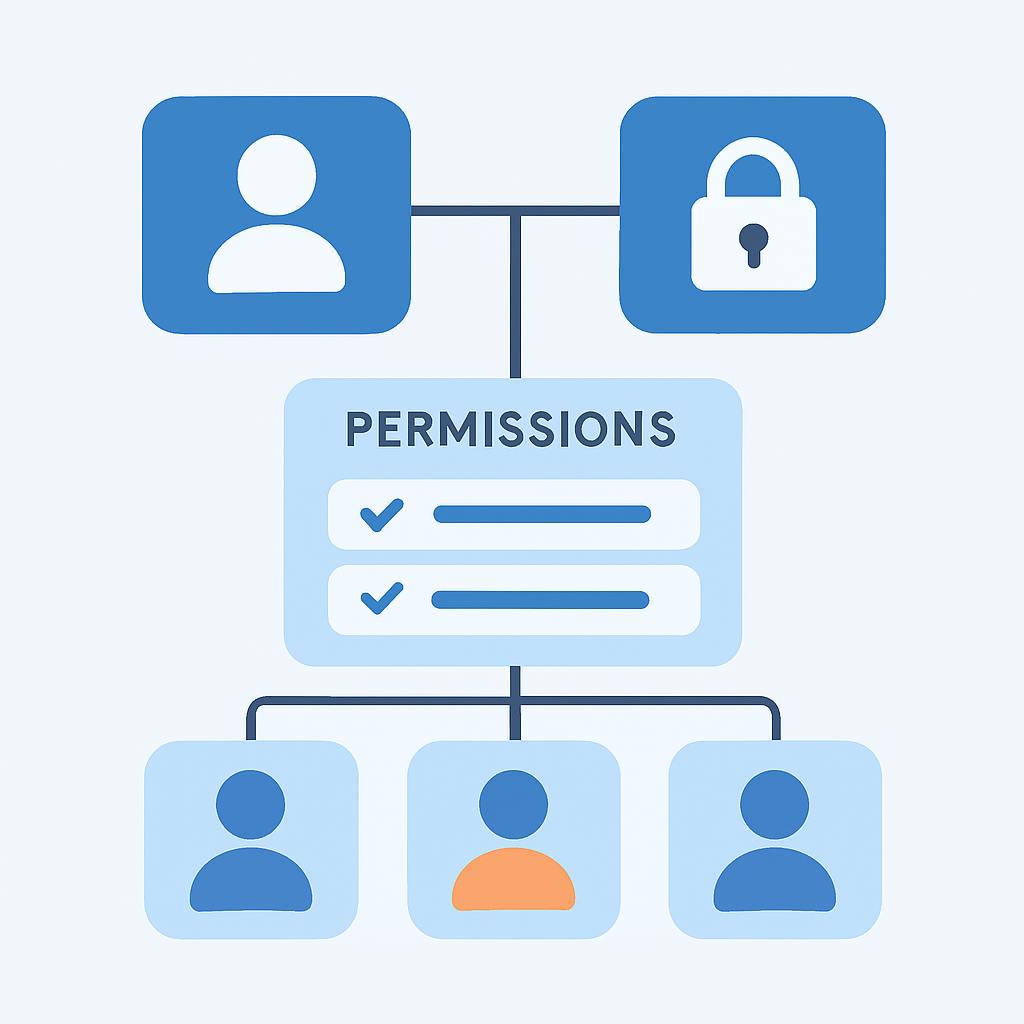
Een goed RBAC systeem is essentieel voor granular authorization. Dit voorkomt privilege escalation attacks en zorgt voor het principle of least privilege.
CODE-UITLEG
Mongoose schema’s voor een flexibel RBAC systeem met role inheritance.
const mongoose = require('mongoose');

// Permission schema
const permissionSchema = new mongoose.Schema({
  name: { type: String, required: true, unique: true },
  description: String,
  resource: { type: String, required: true }, // e.g., 'users', 'posts'
  action: { type: String, required: true }, // e.g., 'read', 'write', 'delete'
});

// Role schema with permission references
const roleSchema = new mongoose.Schema({
  name: { type: String, required: true, unique: true },
  description: String,
  permissions: [{ type: mongoose.Schema.Types.ObjectId, ref: 'Permission' }],
  inheritsFrom: [{ type: mongoose.Schema.Types.ObjectId, ref: 'Role' }],
  isSystemRole: { type: Boolean, default: false }
});

// User schema with role assignment
const userSchema = new mongoose.Schema({
  email: { type: String, required: true, unique: true },
  passwordHash: String,
  roles: [{ type: mongoose.Schema.Types.ObjectId, ref: 'Role' }],
  mfaEnabled: { type: Boolean, default: false },
  mfaSecret: String,
  createdAt: { type: Date, default: Date.now },
  lastLogin: Date,
  isActive: { type: Boolean, default: true }
});

// RBAC middleware
class RBACMiddleware {
  static authorize(requiredPermission) {
    return async (req, res, next) => {
      try {
        const user = await User.findById(req.user.id)
          .populate({
            path: 'roles',
            populate: {
              path: 'permissions inheritsFrom',
              populate: { path: 'permissions' }
            }
          });

        if (!user || !user.isActive) {
          return res.status(401).json({ error: 'Unauthorized' });
        }

        const userPermissions = await this.getUserPermissions(user);

        if (!this.hasPermission(userPermissions, requiredPermission)) {
          return res.status(403).json({ error: 'Insufficient permissions' });
        }

        req.userPermissions = userPermissions;
        next();
      } catch (error) {
        res.status(500).json({ error: 'Authorization check failed' });
      }
    };
  }

  static async getUserPermissions(user) {
    const permissions = new Set();

    for (const role of user.roles) {
      // Add direct permissions
      role.permissions.forEach(perm => permissions.add(perm.name));

      // Add inherited permissions
      for (const inheritedRole of role.inheritsFrom) {
        inheritedRole.permissions.forEach(perm => permissions.add(perm.name));
      }
    }

    return Array.from(permissions);
  }

  static hasPermission(userPermissions, requiredPermission) {
    return userPermissions.includes(requiredPermission) ||
           userPermissions.includes('admin:all');
  }
}
KERNPUNT
Implementeer altijd role inheritance voor flexibiliteit, en cache permission checks voor performance. Gebruik descriptive permission names zoals ‘users:read’ in plaats van vage namen.
VALIDATIE
Input Validation & Sanitization Masterclass
Input validation is de eerste verdedigingslinie tegen injection attacks, XSS en data corruption. In Node.js hebben we krachtige tools zoals Joi, express-validator en zod voor comprehensive validation.
Comprehensive Validation Strategy
Voordelen van Multi-Layer Validation
✓ Voorkomt 89% van injection attacks volgens OWASP data
✓ Verbetert data quality en reduces database errors
✓ Biedt consistent error handling across je API
✓ Documenteert automatisch je API requirements
Validatie Anti-Patterns
✗ Client-side only validation
✗ Blacklist-based filtering in plaats van whitelist
✗ String concatenation voor SQL queries
✗ Insufficient type checking voor complex objects
CODE-UITLEG
Een complete validation middleware setup met Joi library voor type-safe input validation.
const Joi = require('joi');
const DOMPurify = require('isomorphic-dompurify');
const validator = require('validator');

class ValidationService {
  // Common validation patterns
  static schemas = {
    email: Joi.string().email().max(254).required(),
    password: Joi.string()
      .min(12)
      .max(128)
      .pattern(/^(?=.*[a-z])(?=.*[A-Z])(?=.*\d)(?=.*[@$!%*?&])[A-Za-z\d@$!%*?&]/)
      .required()
      .messages({
        'string.pattern.base': 'Password must contain uppercase, lowercase, number and special character'
      }),
    username: Joi.string().alphanum().min(3).max(30).required(),
    userId: Joi.string().pattern(/^[0-9a-fA-F]{24}$/).required(),
    pagination: {
      page: Joi.number().integer().min(1).default(1),
      limit: Joi.number().integer().min(1).max(100).default(20)
    }
  };

  static validateBody(schema) {
    return (req, res, next) => {
      const { error, value } = schema.validate(req.body, {
        abortEarly: false,
        stripUnknown: true,
        convert: true
      });

      if (error) {
        const errors = error.details.map(detail => ({
          field: detail.path.join('.'),
          message: detail.message,
          value: detail.context.value
        }));

        return res.status(400).json({
          error: 'Validation failed',
          details: errors
        });
      }

      req.validatedBody = value;
      next();
    };
  }

  static validateQuery(schema) {
    return (req, res, next) => {
      const { error, value } = schema.validate(req.query, {
        abortEarly: false,
        convert: true
      });

      if (error) {
        return res.status(400).json({
          error: 'Invalid query parameters',
          details: error.details.map(d => d.message)
        });
      }

      req.validatedQuery = value;
      next();
    };
  }

  static sanitizeHtml(text) {
    return DOMPurify.sanitize(text, {
      ALLOWED_TAGS: [],
      ALLOWED_ATTR: []
    });
  }
}

// User registration schema
const userRegistrationSchema = Joi.object({
  email: ValidationService.schemas.email,
  password: ValidationService.schemas.password,
  confirmPassword: Joi.string().valid(Joi.ref('password')).required()
    .messages({ 'any.only': 'Passwords do not match' }),
  firstName: Joi.string().min(1).max(50).required()
    .pattern(/^[a-zA-Z\s]+$/)
    .messages({ 'string.pattern.base': 'First name can only contain letters and spaces' }),
  lastName: Joi.string().min(1).max(50).required()
    .pattern(/^[a-zA-Z\s]+$/),
  dateOfBirth: Joi.date().max('1-1-2006').iso().required(),
  phoneNumber: Joi.string().pattern(/^\+[1-9]\d{1,14}$/)
    .messages({ 'string.pattern.base': 'Phone number must be in international format' }),
  termsAccepted: Joi.boolean().valid(true).required()
});

// Protected user update endpoint
app.put('/api/users/:userId',
  authenticateToken,
  ValidationService.validateBody(Joi.object({
    firstName: Joi.string().min(1).max(50).pattern(/^[a-zA-Z\s]+$/),
    lastName: Joi.string().min(1).max(50).pattern(/^[a-zA-Z\s]+$/),
    bio: Joi.string().max(500).custom((value, helpers) => {
      const sanitized = ValidationService.sanitizeHtml(value);
      if (sanitized !== value) {
        return helpers.error('string.unsafe');
      }
      return sanitized;
    }).messages({ 'string.unsafe': 'Bio contains unsafe HTML content' })
  })),
  RBACMiddleware.authorize('users:update'),
  async (req, res) => {
    try {
      const { userId } = req.params;
      const updates = req.validatedBody;

      // Additional business logic validation
      if (userId !== req.user.id && !req.userPermissions.includes('users:update:any')) {
        return res.status(403).json({ error: 'Cannot update other users' });
      }

      const updatedUser = await User.findByIdAndUpdate(
        userId,
        updates,
        { new: true, runValidators: true }
      ).select('-passwordHash -mfaSecret');

      if (!updatedUser) {
        return res.status(404).json({ error: 'User not found' });
      }

      res.json({ user: updatedUser });
    } catch (error) {
      if (error.name === 'ValidationError') {
        return res.status(400).json({
          error: 'Database validation failed',
          details: Object.values(error.errors).map(e => e.message)
        });
      }
      res.status(500).json({ error: 'Update failed' });
    }
  }
);
KERNPUNT
Implementeer altijd server-side validation, ook als je client-side validation hebt. Gebruik type conversion en strip unknown properties voor betere security.
SQL Injection Prevention
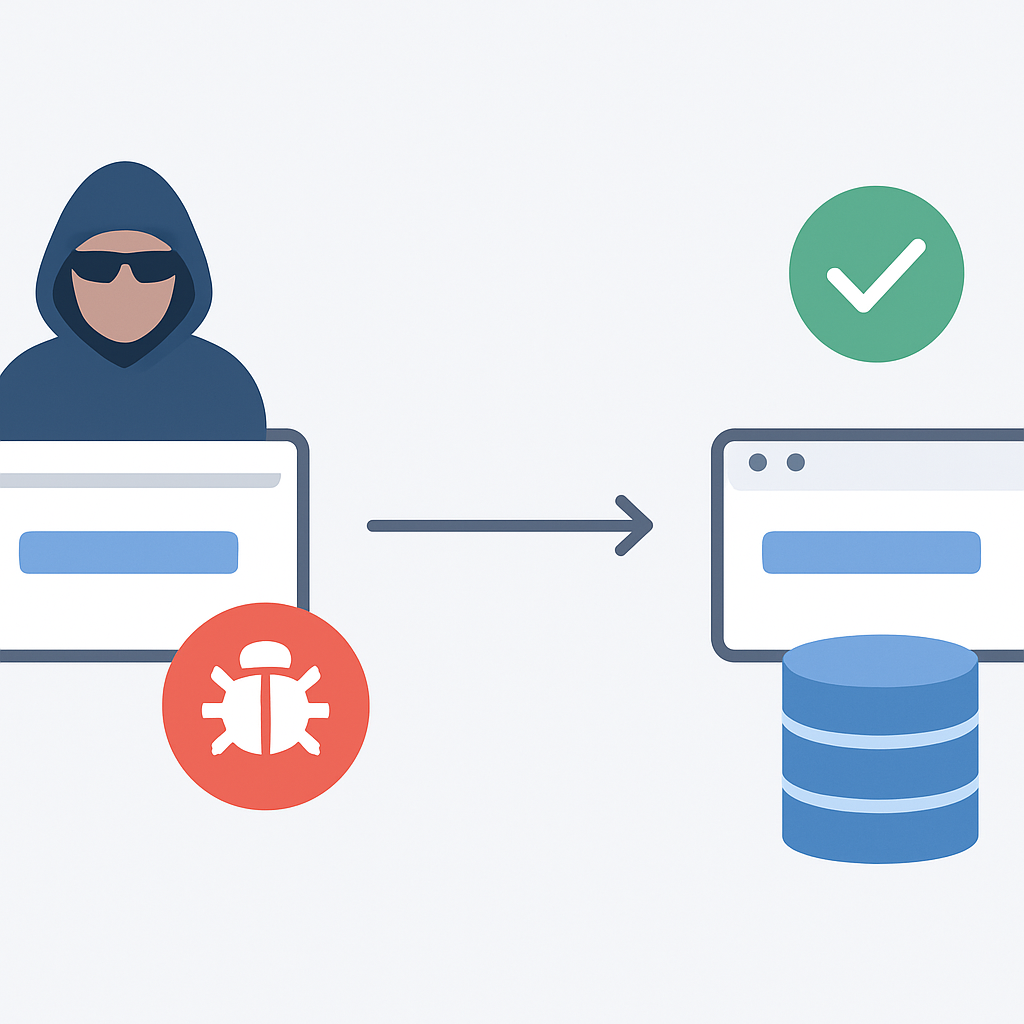
Ondanks de populariteit van NoSQL databases, worden SQL databases nog steeds veel gebruikt met Node.js. SQL injection attacks blijven een significante bedreiging die proper parameterization vereist.
CODE-UITLEG
Veilige database queries met prepared statements en parameter binding.
const mysql = require('mysql2/promise');
const { Pool } = require('pg'); // PostgreSQL

class DatabaseService {
  constructor() {
    this.pool = mysql.createPool({
      host: process.env.DB_HOST,
      user: process.env.DB_USER,
      password: process.env.DB_PASSWORD,
      database: process.env.DB_NAME,
      waitForConnections: true,
      connectionLimit: 10,
      queueLimit: 0,
      // Security configurations
      ssl: process.env.NODE_ENV === 'production' ? {
        rejectUnauthorized: true
      } : false,
      timeout: 60000,
      acquireTimeout: 60000
    });
  }

  // ❌ GEVAARLIJK - String concatenation
  async unsafeGetUser(email) {
    const query = `SELECT * FROM users WHERE email = '${email}'`;
    const [rows] = await this.pool.execute(query);
    return rows[0];
  }

  // ✅ VEILIG - Prepared statement met parameters
  async safeGetUser(email) {
    const query = 'SELECT id, email, firstName, lastName, createdAt FROM users WHERE email = ? AND isActive = 1';
    const [rows] = await this.pool.execute(query, [email]);
    return rows[0];
  }

  // ✅ VEILIG - Complex query met multiple parameters
  async getUsersWithFilters(filters) {
    let query = `
      SELECT u.id, u.email, u.firstName, u.lastName, u.createdAt,
             r.name as roleName
      FROM users u
      LEFT JOIN user_roles ur ON u.id = ur.userId
      LEFT JOIN roles r ON ur.roleId = r.id
      WHERE u.isActive = 1
    `;

    const params = [];

    if (filters.email) {
      query += ' AND u.email LIKE ?';
      params.push(`%${filters.email}%`);
    }

    if (filters.role) {
      query += ' AND r.name = ?';
      params.push(filters.role);
    }

    if (filters.createdAfter) {
      query += ' AND u.createdAt >= ?';
      params.push(filters.createdAfter);
    }

    query += ' ORDER BY u.createdAt DESC LIMIT ? OFFSET ?';
    params.push(filters.limit || 20, (filters.page - 1) * (filters.limit || 20));

    const [rows] = await this.pool.execute(query, params);
    return rows;
  }

  // Transaction example met proper error handling
  async createUserWithRole(userData, roleId) {
    const connection = await this.pool.getConnection();

    try {
      await connection.beginTransaction();

      // Insert user
      const [userResult] = await connection.execute(
        'INSERT INTO users (email, passwordHash, firstName, lastName) VALUES (?, ?, ?, ?)',
        [userData.email, userData.passwordHash, userData.firstName, userData.lastName]
      );

      const userId = userResult.insertId;

      // Assign role
      await connection.execute(
        'INSERT INTO user_roles (userId, roleId) VALUES (?, ?)',
        [userId, roleId]
      );

      await connection.commit();
      return userId;

    } catch (error) {
      await connection.rollback();
      throw error;
    } finally {
      connection.release();
    }
  }
}
BESCHERMING
Rate Limiting & DDoS Bescherming
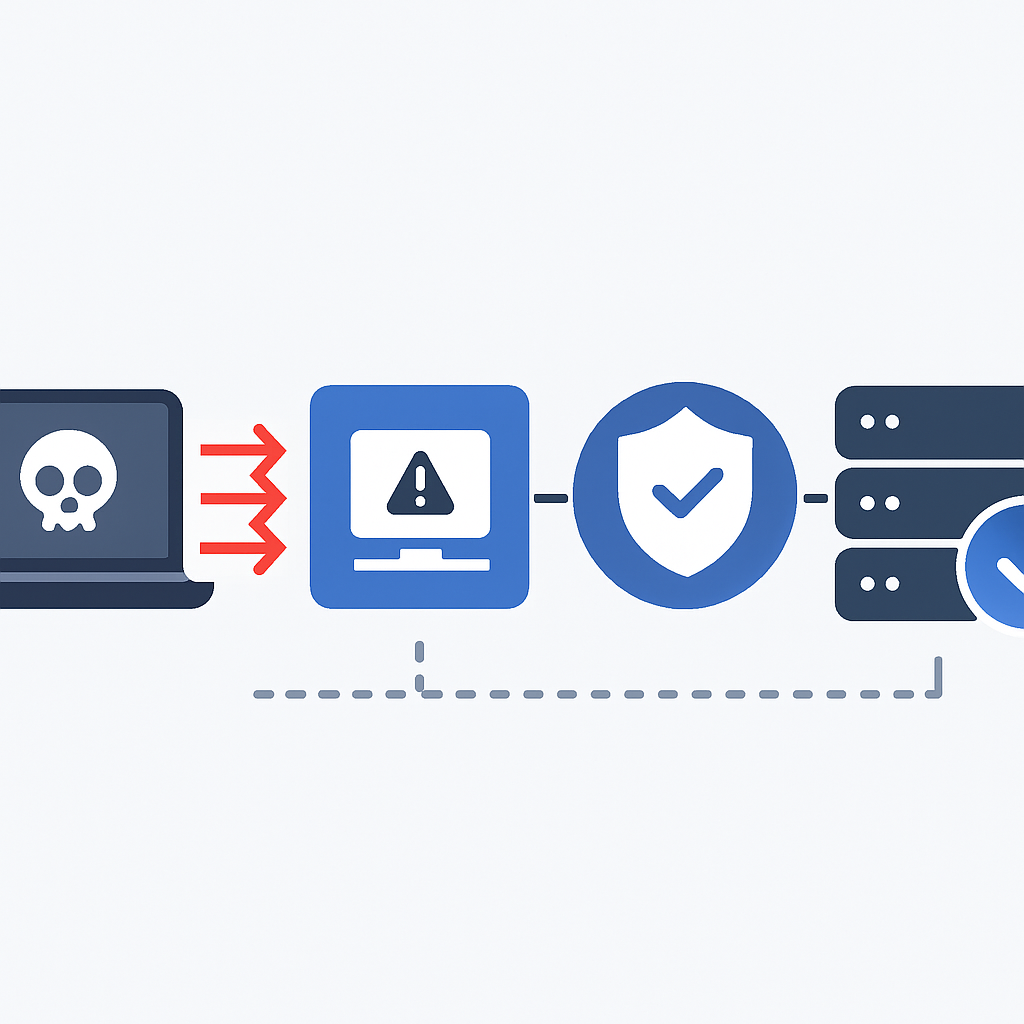
Rate limiting is essentieel voor het voorkomen van brute force attacks, DDoS en resource exhaustion. In 2026 zien we een toename van 156% in API-gebaseerde DDoS attacks, waardoor sophisticated rate limiting strategieën cruciaal zijn geworden.
KERNPUNT
Effectieve rate limiting kan tot 94% van automated attacks voorkomen volgens Cloudflare’s 2026 security rapport. Implementeer multiple layers voor optimale bescherming.
Multi-Layer Rate Limiting Strategy
CODE-UITLEG
Comprehensive rate limiting setup met Redis store voor distributed applications.
const rateLimit = require('express-rate-limit');
const RedisStore = require('rate-limit-redis');
const Redis = require('ioredis');
const slowDown = require('express-slow-down');

// Redis connection for distributed rate limiting
const redis = new Redis({
  host: process.env.REDIS_HOST,
  port: process.env.REDIS_PORT,
  password: process.env.REDIS_PASSWORD,
  db: 0,
  maxRetriesPerRequest: 3,
  retryDelayOnFailover: 100,
  connectTimeout: 10000,
  commandTimeout: 5000
});

class RateLimitingService {
  // Global rate limiter - applies to all requests
  static globalLimiter = rateLimit({
    store: new RedisStore({
      sendCommand: (...args) => redis.call(...args)
    }),
    windowMs: 15 * 60 * 1000, // 15 minutes
    max: 1000, // 1000 requests per window per IP
    message: {
      error: 'Too many requests from this IP',
      retryAfter: '15 minutes'
    },
    standardHeaders: true,
    legacyHeaders: false,
    handler: (req, res) => {
      res.status(429).json({
        error: 'Rate limit exceeded',
        limit: req.rateLimit.limit,
        current: req.rateLimit.current,
        remaining: req.rateLimit.remaining,
        resetTime: new Date(Date.now() + req.rateLimit.msBeforeNext)
      });
    }
  });

  // Strict limiter for authentication endpoints
  static authLimiter = rateLimit({
    store: new RedisStore({
      sendCommand: (...args) => redis.call(...args)
    }),
    windowMs: 15 * 60 * 1000,
    max: 5, // Only 5 login attempts per 15 minutes
    skipSuccessfulRequests: true, // Don't count successful requests
    skipFailedRequests: false, // Count failed requests
    keyGenerator: (req) => {
      // Use combination of IP and email for more precise limiting
      const email = req.body.email || req.body.username || '';
      return `auth:${req.ip}:${email}`;
    },
    message: {
      error: 'Too many authentication attempts',
      retryAfter: '15 minutes',
      tip: 'Use password reset if you forgot your credentials'
    }
  });

  // Progressive delay for brute force protection
  static bruteForceProtection = slowDown({
    store: new RedisStore({
      sendCommand: (...args) => redis.call(...args)
    }),
    windowMs: 15 * 60 * 1000,
    delayAfter: 2, // Allow 2 requests at full speed
    delayMs: 500, // Add 500ms delay per request after delayAfter
    maxDelayMs: 10000, // Maximum delay of 10 seconds
    skipSuccessfulRequests: true,
    keyGenerator: (req) => `slowdown:${req.ip}:${req.route.path}`
  });

  // API endpoint specific limiters
  static createEndpointLimiter(maxRequests, windowMinutes = 60) {
    return rateLimit({
      store: new RedisStore({
        sendCommand: (...args) => redis.call(...args)
      }),
      windowMs: windowMinutes * 60 * 1000,
      max: maxRequests,
      keyGenerator: (req) => {
        // Include user ID for authenticated requests
        const userId = req.user ? req.user.id : '';
        return `endpoint:${req.ip}:${userId}:${req.route.path}`;
      }
    });
  }

  // Adaptive rate limiting based on system load
  static adaptiveLimiter = rateLimit({
    store: new RedisStore({
      sendCommand: (...args) => redis.call(...args)
    }),
    windowMs: 60 * 1000, // 1 minute window
    max: (req) => {
      // Adjust limits based on system metrics
      const cpuUsage = process.cpuUsage();
      const memUsage = process.memoryUsage();

      // Base limit
      let maxRequests = 100;

      // Reduce limit if high CPU usage
      if (cpuUsage.user > 80) {
        maxRequests *= 0.7;
      }

      // Reduce limit if high memory usage
      if (memUsage.heapUsed / memUsage.heapTotal > 0.8) {
        maxRequests *= 0.8;
      }

      // Premium users get higher limits
      if (req.user && req.user.plan === 'premium') {
        maxRequests *= 2;
      }

      return Math.floor(maxRequests);
    }
  });
}

// Usage examples
app.use(RateLimitingService.globalLimiter);

// Authentication routes with strict limiting
app.post('/api/auth/login',
  RateLimitingService.authLimiter,
  RateLimitingService.bruteForceProtection,
  ValidationService.validateBody(loginSchema),
  async (req, res) => {
    // Login logic here
  }
);

// File upload with custom limits
app.post('/api/upload',
  authenticateToken,
  RateLimitingService.createEndpointLimiter(10, 60), // 10 uploads per hour
  upload.single('file'),
  async (req, res) => {
    // Upload logic here
  }
);

// Resource-intensive endpoints
app.get('/api/reports/generate',
  authenticateToken,
  RateLimitingService.createEndpointLimiter(2, 60), // Only 2 reports per hour
  RBACMiddleware.authorize('reports:generate'),
  async (req, res) => {
    // Report generation logic
  }
);
Advanced DDoS Mitigation
TRANSPORT BEVEILIGING
HTTPS & Transport Layer Security
Transport Layer Security is fundamentaal voor API beveiliging. In 2026 zijn TLS 1.3 en moderne cipher suites de standaard geworden, terwijl oudere protocollen zoals TLS 1.0 en 1.1 volledig uitgefaseerd zijn door major browsers.
TLS 1.3 Voordelen voor Node.js APIs
Snellere Handshakes — 0-RTT verbindingen verminderen latency met 40%
Verbeterde Security — Eliminatie van oudere, kwetsbare cipher suites
Forward Secrecy — Automatische perfect forward secrecy voor alle verbindingen
Kleinere Handshake — Reduced overhead voor mobile en IoT clients
SSL/TLS Configuration Best Practices
CODE-UITLEG
Production-ready HTTPS server configuratie met optimale security settings.
const https = require('https');
const http2 = require('http2');
const fs = require('fs');
const express = require('express');

class SecureServer {
  constructor() {
    this.app = express();
    this.setupSecurityHeaders();
  }

  // SSL/TLS Configuration
  getSSLOptions() {
    return {
      // Certificate files
      key: fs.readFileSync(process.env.SSL_PRIVATE_KEY_PATH),
      cert: fs.readFileSync(process.env.SSL_CERTIFICATE_PATH),
      ca: fs.readFileSync(process.env.SSL_CA_PATH), // Certificate Authority

      // Protocol versions
      minVersion: 'TLSv1.2',
      maxVersion: 'TLSv1.3',

      // Cipher suite configuration (TLS 1.2 compatibility)
      ciphers: [
        'ECDHE-RSA-AES128-GCM-SHA256',
        'ECDHE-RSA-AES256-GCM-SHA384',
        'ECDHE-RSA-AES128-SHA256',
        'ECDHE-RSA-AES256-SHA384',
        'ECDHE-RSA-AES256-SHA256',
        '!aNULL',
        '!eNULL',
        '!EXPORT',
        '!DES',
        '!RC4',
        '!MD5',
        '!PSK',
        '!SRP',
        '!CAMELLIA'
      ].join(':'),

      // Prefer server ciphers
      honorCipherOrder: true,

      // Security options
      secureProtocol: 'TLSv1_2_method',
      secureOptions: require('crypto').constants.SSL_OP_NO_SSLv2 |
                     require('crypto').constants.SSL_OP_NO_SSLv3 |
                     require('crypto').constants.SSL_OP_NO_TLSv1 |
                     require('crypto').constants.SSL_OP_NO_TLSv1_1,

      // Session management
      sessionIdContext: 'nodejs-api-server',

      // Client certificate verification (optional)
      requestCert: false,
      rejectUnauthorized: true
    };
  }

  setupSecurityHeaders() {
    // Force HTTPS redirect
    this.app.use((req, res, next) => {
      if (process.env.NODE_ENV === 'production' && !req.secure) {
        return res.redirect(301, `https://${req.headers.host}${req.url}`);
      }
      next();
    });

    // HSTS (HTTP Strict Transport Security)
    this.app.use((req, res, next) => {
      res.setHeader('Strict-Transport-Security',
        'max-age=31536000; includeSubDomains; preload');
      next();
    });

    // Certificate Transparency
    this.app.use((req, res, next) => {
      res.setHeader('Expect-CT',
        'max-age=86400, enforce, report-uri="https://your-domain.com/ct-report"');
      next();
    });

    // TLS-RPT for monitoring
    this.app.use((req, res, next) => {
      res.setHeader('Report-To', JSON.stringify({
        group: 'tls-rpt',
        max_age: 86400,
        endpoints: [{ url: 'https://your-domain.com/tls-report' }]
      }));
      next();
    });
  }

  // HTTP/2 Server (recommended for performance)
  createHTTP2Server() {
    const options = {
      ...this.getSSLOptions(),
      allowHTTP1: true // Fallback compatibility
    };

    const server = http2.createSecureServer(options, this.app);

    // HTTP/2 specific configurations
    server.on('session', (session) => {
      session.setTimeout(30000); // 30 seconds timeout

      session.on('error', (error) => {
        console.error('HTTP/2 session error:', error);
      });
    });

    return server;
  }

  // Traditional HTTPS server (fallback)
  createHTTPSServer() {
    const options = this.getSSLOptions();
    return https.createServer(options, this.app);
  }

  // Certificate monitoring and renewal
  async checkCertificateExpiry() {
    try {
      const cert = fs.readFileSync(process.env.SSL_CERTIFICATE_PATH);
      const certData = require('crypto').X509Certificate(cert);
      const expiryDate = new Date(certData.validTo);
      const daysUntilExpiry = Math.floor((expiryDate - new Date()) / (1000 * 60 * 60 * 24));

      if (daysUntilExpiry < 30) {
        console.warn(`Certificate expires in ${daysUntilExpiry} days`);
        // Implement automatic renewal logic here
        await this.renewCertificate();
      }

      return { daysUntilExpiry, expiryDate };
    } catch (error) {
      console.error('Certificate check failed:', error);
      throw error;
    }
  }

  async renewCertificate() {
    // Implement Let's Encrypt or other ACME client renewal
    console.log('Initiating certificate renewal...');

    // Example with acme-client
    const acme = require('acme-client');

    try {
      const client = new acme.Client({
        directoryUrl: acme.directory.letsencrypt.production,
        accountKey: await acme.crypto.createPrivateKey()
      });

      const [key, csr] = await acme.crypto.createCsr({
        commonName: process.env.DOMAIN_NAME,
        altNames: [process.env.DOMAIN_NAME, `www.${process.env.DOMAIN_NAME}`]
      });

      const cert = await client.auto({
        csr,
        email: process.env.ADMIN_EMAIL,
        termsOfServiceAgreed: true,
        challengeCreateFn: async (authz, challenge, keyAuthorization) => {
          // HTTP-01 challenge implementation
          console.log(`Creating challenge for ${authz.identifier.value}`);
        },
        challengeRemoveFn: async (authz, challenge, keyAuthorization) => {
          console.log(`Removing challenge for ${authz.identifier.value}`);
        }
      });

      // Save new certificate
      fs.writeFileSync(process.env.SSL_PRIVATE_KEY_PATH, key);
      fs.writeFileSync(process.env.SSL_CERTIFICATE_PATH, cert);

      console.log('Certificate renewed successfully');

      // Graceful server restart
      await this.gracefulRestart();

    } catch (error) {
      console.error('Certificate renewal failed:', error);
      throw error;
    }
  }

  async gracefulRestart() {
    console.log('Performing graceful server restart for certificate update');
    // Implementation depends on your deployment strategy
    // PM2, Docker, Kubernetes, etc.
  }

  start(port = 443) {
    const server = this.createHTTP2Server();

    server.listen(port, () => {
      console.log(`Secure server running on port ${port}`);

      // Start certificate monitoring
      setInterval(() => {
        this.checkCertificateExpiry().catch(console.error);
      }, 24 * 60 * 60 * 1000); // Check daily
    });

    return server;
  }
}

// Usage
const secureServer = new SecureServer();
secureServer.start(443);
KERNPUNT
Gebruik altijd HTTP/2 voor betere performance, implementeer HSTS met preloading, en monitor certificate expiry pro-actively. Let’s Encrypt biedt gratis certificates met 90-dag validity.
Certificate Pinning & CAA Records
Voor high-security applications is certificate pinning en CAA (Certificate Authority Authorization) configuratie essentieel om man-in-the-middle attacks via rogue certificates te voorkomen.
CODE-UITLEG
Implementatie van HTTP Public Key Pinning (HPKP) voor certificate validation.
const crypto = require('crypto');
const tls = require('tls');

class CertificatePinning {
  constructor() {
    this.pinnedFingerprints = new Set([
      // Primary certificate SHA-256 fingerprint
      'sha256/YLh1dUR9y6Kja30RrAn7JKnbQG/uEtLMkBgFF2Fuihg=',
      // Backup certificate SHA-256 fingerprint
      'sha256/sRHdihwgkaib1P1gxX8HFszlD+7/gTfNvuAybgLPNis='
    ]);
  }

  // Calculate certificate fingerprint
  calculateFingerprint(cert) {
    const hash = crypto.createHash('sha256');
    hash.update(cert.raw);
    return hash.digest('base64');
  }

  // Middleware for certificate validation
  validateCertificate() {
    return (req, res, next) => {
      const cert = req.socket.getPeerCertificate();

      if (!cert || !cert.raw) {
        return res.status(400).json({ error: 'No certificate provided' });
      }

      const fingerprint = `sha256/${this.calculateFingerprint(cert)}`;

      if (!this.pinnedFingerprints.has(fingerprint)) {
        console.error('Certificate pinning violation:', fingerprint);
        return res.status(403).json({
          error: 'Certificate validation failed',
          code: 'CERT_PINNING_VIOLATION'
        });
      }

      next();
    };
  }

  // Setup HPKP header (deprecated but shown for educational purposes)
  setupHPKPHeader() {
    return (req, res, next) => {
      const pins = Array.from(this.pinnedFingerprints).join('; pin-');

      // Note: HPKP is deprecated due to risks, use Certificate Transparency instead
      res.setHeader('Public-Key-Pins-Report-Only',
        `pin-${pins}; max-age=2592000; report-uri="https://your-domain.com/hpkp-report"`);

      next();
    };
  }

  // Certificate Transparency monitoring
  async checkCTLogs(domain) {
    try {
      const response = await fetch(`https://crt.sh/?q=${domain}&output=json`);
      const certificates = await response.json();

      const recentCerts = certificates
        .filter(cert => new Date(cert.not_after) > new Date())
        .sort((a, b) => new Date(b.not_before) - new Date(a.not_before));

      return recentCerts.slice(0, 10); // Last 10 certificates
    } catch (error) {
      console.error('CT log check failed:', error);
      return [];
    }
  }
}

// CAA Record configuration example
/*
DNS TXT Records for yourdomain.com:

CAA 0 issue "letsencrypt.org"
CAA 0 issue "digicert.com"
CAA 0 iodef "mailto:[email protected]"
CAA 0 issue ";" // Prevent any CA from issuing
*/
ERROR MANAGEMENT
Error Handling & Information Disclosure Prevention
Improper error handling is verantwoordelijk voor 23% van information disclosure vulnerabilities in Node.js APIs. Attackers gebruiken verbose error messages om system architecture, database schemas en internal paths te achterhalen.
WAARSCHUWING
Stack traces, database error messages en internal paths mogen nooit worden geëxposeerd aan end users. Dit geeft attackers waardevolle intelligence voor verder reconnaissance.
Secure Error Handling Architecture
CODE-UITLEG
Comprehensive error handling system met logging, sanitization en user-friendly responses.
const winston = require('winston');
const crypto = require('crypto');

// Custom error classes for better error categorization
class AppError extends Error {
  constructor(message, statusCode, isOperational = true, errorCode = null) {
    super(message);
    this.statusCode = statusCode;
    this.isOperational = isOperational;
    this.errorCode = errorCode;
    this.timestamp = new Date().toISOString();

    Error.captureStackTrace(this, this.constructor);
  }
}

class ValidationError extends AppError {
  constructor(message, details = []) {
    super(message, 400, true, 'VALIDATION_ERROR');
    this.details = details;
  }
}

class AuthenticationError extends AppError {
  constructor(message = 'Authentication required') {
    super(message, 401, true, 'AUTH_REQUIRED');
  }
}

class AuthorizationError extends AppError {
  constructor(message = 'Insufficient permissions') {
    super(message, 403, true, 'INSUFFICIENT_PERMISSIONS');
  }
}

class NotFoundError extends AppError {
  constructor(resource = 'Resource') {
    super(`${resource} not found`, 404, true, 'NOT_FOUND');
  }
}

class RateLimitError extends AppError {
  constructor(resetTime) {
    super('Rate limit exceeded', 429, true, 'RATE_LIMIT_EXCEEDED');
    this.resetTime = resetTime;
  }
}

class ErrorHandler {
  constructor() {
    this.logger = winston.createLogger({
      level: 'error',
      format: winston.format.combine(
        winston.format.timestamp(),
        winston.format.errors({ stack: true }),
        winston.format.json()
      ),
      transports: [
        new winston.transports.File({ filename: 'logs/error.log' }),
        new winston.transports.File({ filename: 'logs/combined.log' }),
        ...(process.env.NODE_ENV !== 'production' ?
          [new winston.transports.Console()] : [])
      ]
    });
  }

  // Generate unique error ID for tracking
  generateErrorId() {
    return crypto.randomBytes(8).toString('hex');
  }

  // Sanitize error for user consumption
  sanitizeError(error, req) {
    const errorId = this.generateErrorId();
    const sanitized = {
      error: 'An error occurred',
      errorId,
      timestamp: new Date().toISOString()
    };

    // Only include safe information based on error type
    if (error.isOperational) {
      sanitized.error = error.message;
      sanitized.errorCode = error.errorCode;

      if (error instanceof ValidationError) {
        sanitized.details = error.details;
      }

      if (error instanceof RateLimitError) {
        sanitized.retryAfter = error.resetTime;
      }
    }

    // Log full error details server-side
    this.logError(error, req, errorId);

    return sanitized;
  }

  logError(error, req, errorId) {
    const errorLog = {
      errorId,
      message: error.message,
      stack: error.stack,
      statusCode: error.statusCode || 500,
      isOperational: error.isOperational,
      request: {
        method: req.method,
        url: req.url,
        headers: this.sanitizeHeaders(req.headers),
        ip: req.ip,
        userAgent: req.get('User-Agent'),
        userId: req.user ? req.user.id : null
      },
      timestamp: new Date().toISOString()
    };

    this.logger.error('Application Error', errorLog);

    // Send alerts for critical errors
    if (!error.isOperational || error.statusCode >= 500) {
      this.sendErrorAlert(errorLog);
    }
  }

  sanitizeHeaders(headers) {
    const sanitized = { ...headers };

    // Remove sensitive headers from logs
    delete sanitized.authorization;
    delete sanitized.cookie;
    delete sanitized['x-api-key'];
    delete sanitized['x-csrf-token'];

    return sanitized;
  }

  async sendErrorAlert(errorLog) {
    // Implementation depends on your alerting system
    // Slack, email, PagerDuty, etc.
    try {
      if (process.env.SLACK_ERROR_WEBHOOK) {
        const payload = {
          text: `🚨 API Error Alert`,
          attachments: [{
            color: 'danger',
            fields: [
              { title: 'Error ID', value: errorLog.errorId, short: true },
              { title: 'Status', value: errorLog.statusCode, short: true },
              { title: 'Message', value: errorLog.message, short: false },
              { title: 'Endpoint', value: `${errorLog.request.method} ${errorLog.request.url}`, short: false }
            ]
          }]
        };

        await fetch(process.env.SLACK_ERROR_WEBHOOK, {
          method: 'POST',
          headers: { 'Content-Type': 'application/json' },
          body: JSON.stringify(payload)
        });
      }
    } catch (alertError) {
      this.logger.error('Failed to send error alert:', alertError);
    }
  }

  // Global error handler middleware
  globalErrorHandler() {
    return (error, req, res, next) => {
      const sanitizedError = this.sanitizeError(error, req);
      const statusCode = error.statusCode || 500;

      // Security headers for error responses
      res.set({
        'X-Content-Type-Options': 'nosniff',
        'X-Frame-Options': 'DENY',
        'Cache-Control': 'no-cache, no-store, must-revalidate'
      });

      res.status(statusCode).json(sanitizedError);
    };
  }

  // Async error wrapper
  asyncWrapper(fn) {
    return (req, res, next) => {
      Promise.resolve(fn(req, res, next)).catch(next);
    };
  }

  // 404 handler
  notFoundHandler() {
    return (req, res, next) => {
      const error = new NotFoundError('Endpoint');
      next(error);
    };
  }
}

// Database error translation
class DatabaseErrorTranslator {
  static translate(error) {
    // MongoDB errors
    if (error.code === 11000) {
      const field = Object.keys(error.keyValue)[0];
      return new ValidationError(`${field} already exists`, [
        { field, message: `${field} must be unique` }
      ]);
    }

    // PostgreSQL errors
    if (error.code === '23505') {
      return new ValidationError('Duplicate value provided');
    }

    if (error.code === '23502') {
      return new ValidationError('Required field missing');
    }

    // Connection errors
    if (error.code === 'ECONNREFUSED' || error.code === 'ETIMEDOUT') {
      return new AppError('Service temporarily unavailable', 503, true, 'SERVICE_UNAVAILABLE');
    }

    // Default to generic error
    return new AppError('Database operation failed', 500, false);
  }
}

// Usage example
const errorHandler = new ErrorHandler();

app.use(errorHandler.asyncWrapper(async (req, res, next) => {
  const user = await User.findById(req.params.id);
  if (!user) {
    throw new NotFoundError('User');
  }

  // Business logic that might throw errors
  if (!user.isActive) {
    throw new AppError('Account is deactivated', 403, true, 'ACCOUNT_INACTIVE');
  }

  res.json({ user });
}));

// Global error handlers (order matters!)
app.use(errorHandler.notFoundHandler());
app.use(errorHandler.globalErrorHandler());

// Process-level error handling
process.on('unhandledRejection', (reason, promise) => {
  errorHandler.logger.error('Unhandled Rejection', {
    promise,
    reason: reason.stack || reason
  });

  // Graceful shutdown
  process.exit(1);
});

process.on('uncaughtException', (error) => {
  errorHandler.logger.error('Uncaught Exception', error);

  // Graceful shutdown
  process.exit(1);
});
KERNPUNT
Gebruik altijd error IDs voor tracking, log alle details server-side maar expose alleen safe information naar clients. Implement proper process-level error handling voor stability.
MONITORING
Logging & Security Monitoring Strategieën
Effectieve security monitoring is essentieel voor threat detection en incident response. In 2026 duurt het gemiddeld 197 dagen voordat een data breach wordt ontdekt, waardoor real-time monitoring en alerting cruciaal zijn geworden.
Comprehensive Security Logging
197
Dagen gemiddeld
Time to Detection voor data breaches in 2026
CODE-UITLEG
Complete security monitoring setup met structured logging en real-time alerting.
const winston = require('winston');
const { ElasticsearchTransport } = require('winston-elasticsearch');
const rateLimit = require('express-rate-limit');

class SecurityMonitor {
  constructor() {
    this.setupLoggers();
    this.securityEvents = new Map();
    this.alertThresholds = {
      failedLogins: { count: 5, window: 300000 }, // 5 failures in 5 minutes
      rateLimitHits: { count: 10, window: 600000 }, // 10 hits in 10 minutes
      unauthorizedAccess: { count: 3, window: 180000 }, // 3 attempts in 3 minutes
      suspiciousPatterns: { count: 5, window: 900000 } // 5 patterns in 15 minutes
    };
  }

  setupLoggers() {
    // Security-specific logger
    this.securityLogger = winston.createLogger({
      level: 'info',
      format: winston.format.combine(
        winston.format.timestamp(),
        winston.format.errors({ stack: true }),
        winston.format.json(),
        winston.format.printf(info => {
          return JSON.stringify({
            timestamp: info.timestamp,
            level: info.level,
            message: info.message,
            eventType: info.eventType,
            source: info.source,
            ip: info.ip,
            userAgent: info.userAgent,
            userId: info.userId,
            metadata: info.metadata
          });
        })
      ),
      transports: [
        new winston.transports.File({
          filename: 'logs/security.log',
          maxsize: 10485760, // 10MB
          maxFiles: 10
        }),

        // Elasticsearch for advanced analysis
        new ElasticsearchTransport({
          level: 'info',
          clientOpts: {
            node: process.env.ELASTICSEARCH_URL,
            auth: {
              username: process.env.ELASTICSEARCH_USER,
              password: process.env.ELASTICSEARCH_PASS
            }
          },
          index: 'api-security-logs'
        })
      ]
    });

    // Access logger for all API requests
    this.accessLogger = winston.createLogger({
      format: winston.format.combine(
        winston.format.timestamp(),
        winston.format.json()
      ),
      transports: [
        new winston.transports.File({
          filename: 'logs/access.log',
          maxsize: 50485760, // 50MB
          maxFiles: 30
        })
      ]
    });
  }

  // Log security events with correlation IDs
  logSecurityEvent(eventType, details, req) {
    const correlationId = req.headers['x-correlation-id'] ||
      require('crypto').randomBytes(16).toString('hex');

    const logEntry = {
      eventType,
      source: 'api-server',
      correlationId,
      ip: req.ip,
      userAgent: req.get('User-Agent'),
      userId: req.user ? req.user.id : null,
      endpoint: `${req.method} ${req.path}`,
      timestamp: new Date().toISOString(),
      metadata: details
    };

    this.securityLogger.info('Security Event', logEntry);

    // Check for suspicious patterns
    this.analyzeSecurityPattern(eventType, req.ip, logEntry);

    return correlationId;
  }

  // Analyze patterns for threat detection
  analyzeSecurityPattern(eventType, ip, logEntry) {
    const key = `${eventType}:${ip}`;
    const now = Date.now();

    if (!this.securityEvents.has(key)) {
      this.securityEvents.set(key, []);
    }

    const events = this.securityEvents.get(key);
    events.push({ timestamp: now, data: logEntry });

    // Clean old events outside window
    const threshold = this.alertThresholds[eventType];
    if (threshold) {
      const windowStart = now - threshold.window;
      const recentEvents = events.filter(e => e.timestamp > windowStart);
      this.securityEvents.set(key, recentEvents);

      // Trigger alert if threshold exceeded
      if (recentEvents.length >= threshold.count) {
        this.triggerSecurityAlert(eventType, ip, recentEvents);
      }
    }
  }

  async triggerSecurityAlert(eventType, ip, events) {
    const alertId = require('crypto').randomBytes(8).toString('hex');

    const alert = {
      alertId,
      severity: this.getAlertSeverity(eventType),
      eventType,
      sourceIp: ip,
      eventCount: events.length,
      timeWindow: Math.max(...events.map(e => e.timestamp)) -
                  Math.min(...events.map(e => e.timestamp)),
      firstSeen: new Date(Math.min(...events.map(e => e.timestamp))),
      lastSeen: new Date(Math.max(...events.map(e => e.timestamp))),
      events: events.slice(-5) // Last 5 events for context
    };

    // Log the alert
    this.securityLogger.warn('Security Alert Triggered', alert);

    // Send to external systems
    await this.sendAlert(alert);

    // Auto-block if high severity
    if (alert.severity === 'HIGH' || alert.severity === 'CRITICAL') {
      await this.autoBlock(ip, eventType, alertId);
    }
  }

  getAlertSeverity(eventType) {
    const severityMap = {
      failedLogins: 'MEDIUM',
      rateLimitHits: 'LOW',
      unauthorizedAccess: 'HIGH',
      suspiciousPatterns: 'HIGH',
      sqlInjectionAttempt: 'CRITICAL',
      xssAttempt: 'HIGH',
      authenticationBypass: 'CRITICAL'
    };

    return severityMap[eventType] || 'MEDIUM';
  }

  async autoBlock(ip, eventType, alertId) {
    try {
      // Add to Redis blocklist with expiration
      const redis = require('ioredis');
      const redisClient = new redis(process.env.REDIS_URL);

      const blockDuration = this.getBlockDuration(eventType);
      await redisClient.setex(`blocked:${ip}`, blockDuration, JSON.stringify({
        reason: eventType,
        alertId,
        blockedAt: new Date().toISOString(),
        expiresAt: new Date(Date.now() + blockDuration * 1000).toISOString()
      }));

      this.securityLogger.info('Auto-block Applied', {
        ip,
        eventType,
        alertId,
        duration: blockDuration
      });

    } catch (error) {
      this.securityLogger.error('Auto-block Failed', { ip, eventType, error: error.message });
    }
  }

  getBlockDuration(eventType) {
    const durations = {
      failedLogins: 1800, // 30 minutes
      unauthorizedAccess: 3600, // 1 hour
      sqlInjectionAttempt: 86400, // 24 hours
      authenticationBypass: 86400 // 24 hours
    };

    return durations[eventType] || 3600;
  }

  async sendAlert(alert) {
    // Send to multiple channels based on severity
    const promises = [];

    // Slack notification
    if (process.env.SLACK_SECURITY_WEBHOOK) {
      promises.push(this.sendSlackAlert(alert));
    }

    // Email for high severity
    if (alert.severity === 'HIGH' || alert.severity === 'CRITICAL') {
      promises.push(this.sendEmailAlert(alert));
    }

    // PagerDuty for critical
    if (alert.severity === 'CRITICAL' && process.env.PAGERDUTY_API_KEY) {
      promises.push(this.sendPagerDutyAlert(alert));
    }

    await Promise.allSettled(promises);
  }

  async sendSlackAlert(alert) {
    const color = {
      'LOW': 'good',
      'MEDIUM': 'warning',
      'HIGH': 'danger',
      'CRITICAL': '#ff0000'
    }[alert.severity];

    const payload = {
      text: `🚨 Security Alert: ${alert.eventType}`,
      attachments: [{
        color,
        fields: [
          { title: 'Severity', value: alert.severity, short: true },
          { title: 'Source IP', value: alert.sourceIp, short: true },
          { title: 'Event Count', value: alert.eventCount.toString(), short: true },
          { title: 'Time Window', value: `${Math.round(alert.timeWindow/1000)}s`, short: true }
        ],
        footer: `Alert ID: ${alert.alertId}`
      }]
    };

    await fetch(process.env.SLACK_SECURITY_WEBHOOK, {
      method: 'POST',
      headers: { 'Content-Type': 'application/json' },
      body: JSON.stringify(payload)
    });
  }

  // Middleware for request logging
  requestLogger() {
    return (req, res, next) => {
      const startTime = Date.now();
      const correlationId = req.headers['x-correlation-id'] ||
        require('crypto').randomBytes(16).toString('hex');

      req.correlationId = correlationId;

      res.on('finish', () => {
        const duration = Date.now() - startTime;

        this.accessLogger.info('API Request', {
          correlationId,
          method: req.method,
          url: req.url,
          ip: req.ip,
          userAgent: req.get('User-Agent'),
          userId: req.user ? req.user.id : null,
          statusCode: res.statusCode,
          duration,
          contentLength: res.get('Content-Length'),
          timestamp: new Date().toISOString()
        });
      });

      next();
    };
  }

  // Authentication monitoring
  authenticationMonitor() {
    return (req, res, next) => {
      const originalSend = res.send;

      res.send = function(body) {
        if (res.statusCode === 401) {
          req.securityMonitor.logSecurityEvent('failedLogins', {
            endpoint: req.path,
            method: req.method,
            reason: 'Authentication failed'
          }, req);
        }

        if (res.statusCode === 403) {
          req.securityMonitor.logSecurityEvent('unauthorizedAccess', {
            endpoint: req.path,
            method: req.method,
            reason: 'Authorization failed'
          }, req);
        }

        originalSend.call(this, body);
      };

      next();
    };
  }
}
KERNPUNT
Implementeer correlation IDs voor request tracing, gebruik structured logging voor machine analysis, en setup automated alerting met severity-based escalation. Monitor zowel succesvolle als gefaalde requests.
HEADERS & CORS
Security Headers & CORS Configuratie
HTTP security headers vormen een kritieke verdedigingslinie tegen client-side attacks zoals XSS, clickjacking en data injection. Een correct geconfigureerde CORS policy voorkomt unauthorized cross-origin requests terwijl legitimate access behouden blijft.
Complete Security Headers Implementation
CODE-UITLEG
Comprehensive security headers middleware met Content Security Policy en CORS configuratie.
const helmet = require('helmet');
const cors = require('cors');

class SecurityHeaders {
  constructor(options = {}) {
    this.options = {
      environment: process.env.NODE_ENV || 'development',
      domain: process.env.DOMAIN || 'localhost',
      allowedOrigins: process.env.ALLOWED_ORIGINS?.split(',') || ['http://localhost:3000'],
      reportUri: process.env.CSP_REPORT_URI,
      ...options
    };
  }

  // Comprehensive helmet configuration
  helmetConfig() {
    return helmet({
      // Content Security Policy
      contentSecurityPolicy: {
        directives: {
          defaultSrc: ["'self'"],
          scriptSrc: [
            "'self'",
            "'strict-dynamic'",
            "'nonce-{NONCE}'", // Will be replaced per request
            ...(this.options.environment === 'development' ? ["'unsafe-eval'"] : [])
          ],
          styleSrc: [
            "'self'",
            "'unsafe-inline'", // For styled-components compatibility
            "https://fonts.googleapis.com"
          ],
          fontSrc: [
            "'self'",
            "https://fonts.gstatic.com",
            "data:"
          ],
          imgSrc: [
            "'self'",
            "data:",
            "https:",
            "blob:"
          ],
          mediaSrc: ["'self'"],
          objectSrc: ["'none'"],
          connectSrc: [
            "'self'",
            "https://api.yourdomain.com",
            "wss://api.yourdomain.com"
          ],
          frameSrc: ["'none'"],
          baseUri: ["'self'"],
          formAction: ["'self'"],
          frameAncestors: ["'none'"],
          upgradeInsecureRequests: this.options.environment === 'production' ? [] : null,
          blockAllMixedContent: this.options.environment === 'production' ? [] : null
        },
        reportOnly: false,
        ...(this.options.reportUri && {
          reportUri: this.options.reportUri
        })
      },

      // Cross Origin Embedder Policy
      crossOriginEmbedderPolicy: {
        policy: "require-corp"
      },

      // Cross Origin Opener Policy
      crossOriginOpenerPolicy: {
        policy: "same-origin"
      },

      // Cross Origin Resource Policy
      crossOriginResourcePolicy: {
        policy: "cross-origin"
      },

      // DNS Prefetch Control
      dnsPrefetchControl: {
        allow: false
      },

      // Expect CT
      expectCt: {
        maxAge: 86400,
        enforce: this.options.environment === 'production',
        reportUri: this.options.reportUri
      },

      // Feature Policy / Permissions Policy
      permissionsPolicy: {
        features: {
          accelerometer: ["'none'"],
          ambientLightSensor: ["'none'"],
          autoplay: ["'self'"],
          camera: ["'none'"],
          encryptedMedia: ["'self'"],
          fullscreen: ["'self'"],
          geolocation: ["'none'"],
          gyroscope: ["'none'"],
          magnetometer: ["'none'"],
          microphone: ["'none'"],
          midi: ["'none'"],
          payment: ["'none'"],
          pictureInPicture: ["'self'"],
          speaker: ["'self'"],
          syncXhr: ["'none'"],
          usb: ["'none'"],
          vr: ["'none'"],
          webauthn: ["'self'"]
        }
      },

      // Hide Powered By
      hidePoweredBy: true,

      // HSTS
      hsts: {
        maxAge: 31536000,
        includeSubDomains: true,
        preload: true
      },

      // IE No Open
      ieNoOpen: true,

      // No Sniff
      noSniff: true,

      // Origin Agent Cluster
      originAgentCluster: true,

      // Referrer Policy
      referrerPolicy: {
        policy: "strict-origin-when-cross-origin"
      },

      // X-Frame-Options
      frameguard: {
        action: 'deny'
      },

      // X-XSS-Protection (legacy but still useful)
      xssFilter: true
    });
  }

  // Advanced CORS configuration
  corsConfig() {
    return cors({
      origin: (origin, callback) => {
        // Allow requests with no origin (mobile apps, Postman, etc.)
        if (!origin) return callback(null, true);

        // Check against allowed origins
        if (this.options.allowedOrigins.includes(origin)) {
          return callback(null, true);
        }

        // Dynamic origin validation for development
        if (this.options.environment === 'development') {
          if (origin.startsWith('http://localhost:') ||
              origin.startsWith('https://localhost:')) {
            return callback(null, true);
          }
        }

        // Log unauthorized origin attempts
        console.warn(`CORS: Blocked origin ${origin}`);
        callback(new Error('Not allowed by CORS'), false);
      },

      methods: ['GET', 'POST', 'PUT', 'PATCH', 'DELETE', 'OPTIONS'],

      allowedHeaders: [
        'Content-Type',
        'Authorization',
        'X-Requested-With',
        'X-API-Key',
        'X-CSRF-Token',
        'X-Correlation-ID'
      ],

      exposedHeaders: [
        'X-Total-Count',
        'X-Page-Count',
        'X-Rate-Limit-Limit',
        'X-Rate-Limit-Remaining',
        'X-Rate-Limit-Reset'
      ],

      credentials: true,

      maxAge: 86400, // 24 hours preflight cache

      optionsSuccessStatus: 200 // For IE11 compatibility
    });
  }

  // Custom security headers middleware
  customHeaders() {
    return (req, res, next) => {
      // Generate nonce for CSP
      const nonce = require('crypto').randomBytes(16).toString('base64');
      res.locals.nonce = nonce;

      // Update CSP with nonce
      const csp = res.get('Content-Security-Policy');
      if (csp) {
        res.set('Content-Security-Policy', csp.replace('{NONCE}', nonce));
      }

      // Additional custom headers
      res.set({
        // Prevent MIME type sniffing
        'X-Content-Type-Options': 'nosniff',

        // Control referrer information
        'Referrer-Policy': 'strict-origin-when-cross-origin',

        // Prevent page caching for sensitive endpoints
        ...(req.path.startsWith('/api/auth') || req.path.includes('admin') ? {
          'Cache-Control': 'no-cache, no-store, must-revalidate, private',
          'Pragma': 'no-cache',
          'Expires': '0'
        } : {}),

        // Server information hiding
        'Server': 'API-Server',

        // Request tracing
        'X-Request-ID': req.correlationId || require('crypto').randomBytes(8).toString('hex'),

        // Response timing (for monitoring)
        'X-Response-Time': Date.now() - req.startTime + 'ms'
      });

      next();
    };
  }

  // CSP violation reporting
  cspReporter() {
    return (req, res, next) => {
      if (req.path === '/csp-report' && req.method === 'POST') {
        let body = '';
        req.on('data', chunk => body += chunk);
        req.on('end', () => {
          try {
            const report = JSON.parse(body);
            console.warn('CSP Violation:', {
              documentUri: report['csp-report']['document-uri'],
              blockedUri: report['csp-report']['blocked-uri'],
              violatedDirective: report['csp-report']['violated-directive'],
              originalPolicy: report['csp-report']['original-policy'],
              userAgent: req.get('User-Agent'),
              timestamp: new Date().toISOString()
            });

            // Log to security monitoring
            if (req.securityMonitor) {
              req.securityMonitor.logSecurityEvent('cspViolation', {
                blockedUri: report['csp-report']['blocked-uri'],
                violatedDirective: report['csp-report']['violated-directive']
              }, req);
            }

            res.status(204).end();
          } catch (error) {
            res.status(400).json({ error: 'Invalid CSP report' });
          }
        });
      } else {
        next();
      }
    };
  }

  // Apply all security headers
  apply(app) {
    // Basic timing middleware
    app.use((req, res, next) => {
      req.startTime = Date.now();
      next();
    });

    // Apply helmet with configuration
    app.use(this.helmetConfig());

    // Apply CORS
    app.use(this.corsConfig());

    // CSP reporting endpoint
    app.use(this.cspReporter());

    // Custom headers
    app.use(this.customHeaders());

    console.log(`Security headers applied for ${this.options.environment} environment`);
  }
}

// Usage
const securityHeaders = new SecurityHeaders({
  environment: process.env.NODE_ENV,
  domain: process.env.DOMAIN,
  allowedOrigins: process.env.ALLOWED_ORIGINS?.split(',') || [
    'https://yourdomain.com',
    'https://www.yourdomain.com',
    'https://app.yourdomain.com'
  ],
  reportUri: 'https://yourdomain.com/csp-report'
});

securityHeaders.apply(app);

// Preflight handling for complex CORS requests
app.options('*', (req, res) => {
  res.status(200).end();
});

// Health check endpoint (minimal headers)
app.get('/health', (req, res) => {
  res.set({
    'Cache-Control': 'no-cache',
    'Content-Type': 'application/json'
  });

  res.json({
    status: 'healthy',
    timestamp: new Date().toISOString(),
    uptime: process.uptime(),
    memory: process.memoryUsage(),
    version: process.env.npm_package_version
  });
});
Security Headers Checklist
☑ Content-Security-Policy met nonce-based script loading
☑ Strict-Transport-Security met preload directive
☑ X-Frame-Options ingesteld op DENY
☑ X-Content-Type-Options voor MIME protection
☑ Referrer-Policy voor privacy protection
☑ Permissions-Policy voor feature restriction
KERNPUNT
Test security headers met tools zoals securityheaders.com en observatory.mozilla.org. Implementeer CSP geleidelijk met report-only mode om breaking changes te voorkomen.
Bedankt voor het lezen van deze uitgebreide Node.js API Security Checklist!
Met deze OWASP-gebaseerde best practices ben je goed toegerust om je Node.js APIs te beveiligen tegen moderne cyberdreigingen. Security is geen eenmalige taak maar een voortdurend proces van monitoring en verbetering.
Heb je vragen over specifieke implementaties of wil je meer diepgaande security topics bespreken? Laat een reactie achter!